Traditional campus desk rows are giving way to browser-based software delivery. This shift lets science students analyze coursework data anytime from personal laptops.
Biology and scientific modeling courses used to lock you into rigid campus schedules. You had to sit at specific computer desks during set hours just to process basic lab data.
Campus leaders now deliver heavy software directly through web browsers. Your standard personal laptop transforms into a high-powered workstation capable of running advanced scientific computations from anywhere.
Why Are Universities Rethinking Physical Computer Classrooms?
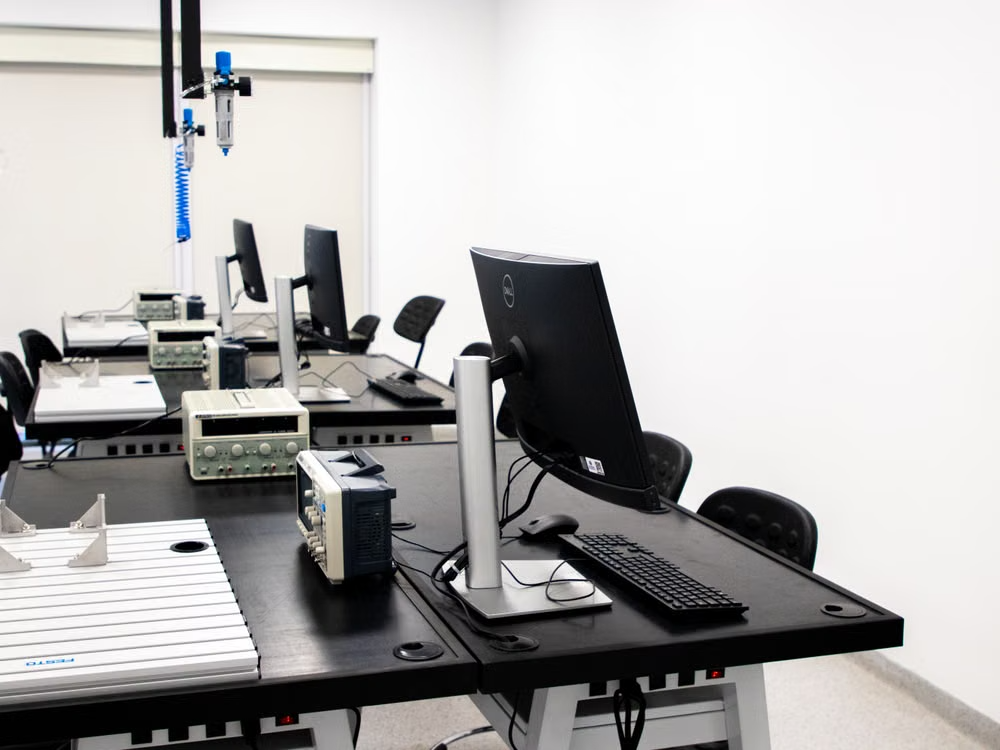
Rows of stationary desktop computers take up valuable square footage on modern college campuses. Campus administrators realize that rigid computer labs no longer fit student workflows.
Upgrading physical hardware every few years creates massive financial strain for university departments. Adopting virtual computer labs allows IT teams to deliver complex software to any personal laptop without maintaining hundreds of physical desktops. Students gain total freedom over where they study while department budgets remain balanced. IT staff can spend less time fixing broken keyboards and more time improving software access.
Virtual labs let more students use specialized programs across campus. Learners can get the tools they need from dorm rooms, libraries, or home. This setup can cut the need for big rooms full of computers.
Universities can use the saved space for group projects, study areas, or other learning activities. Flexible access helps schools keep up with changing tech and student needs.
How Do Cloud Setups Deliver Heavy Software to Standard Laptops?
Specialized software for molecular biology or data modeling normally demands high-end hardware with massive processing power. Science departments stream these resource-heavy applications straight to standard student laptops over web browsers.
ACM Digital Library reported that cloud-based delivery systems permitted 80% of computer science and biology students to execute complex data analysis tasks on standard personal hardware. Students no longer need to spend thousands of dollars on specialized gaming rigs or desktop computers just to finish their weekly assignments.
Cloud systems do much of the work on remote servers, not on the student’s laptop. This lets older devices run programs that usually need stronger hardware.
Students can focus on their work without worrying as much about computer specs. A steady internet connection is still needed for smooth access to these apps. Universities can use this setup to give more learners access to advanced digital tools.
How Can Outdated Lab Spaces Become Collaborative Research Hubs?
Removing desktop towers opens up wide physical areas across campus buildings. Departments fill these empty rooms with mobile whiteboards, modular desks, and group discussion seating.
Students gather around shared tables to discuss research hypotheses instead of staring silently at partition screens. This collaborative approach builds on the value of hands-on biology experiments, where practical activities encourage students to explore scientific concepts together. Group work flourishes when technology moves into the background.
Flexible room arrangements encourage spontaneous brainstorming sessions between peers. Science majors test ideas together on digital displays while accessing cloud software on their own screens.
Open layouts make it easier for students to share ideas and solve problems together. Mobile furniture lets instructors change the room setup for different activities. Shared displays help teams review results and explain complex ideas to classmates.
These spaces support group projects, peer learning, and guided research sessions. Universities can create more useful learning environments by combining flexible layouts with easy access to digital tools.
What Are the Key Advantages of Collaborative Group Hubs?
Redesigning physical spaces around student collaboration yields several clear operational benefits for department heads and students alike.
- Maximize physical space: Converting rigid computer desks creates open study zones for cross-disciplinary research teams.
- Encourage group problem-solving: Team members share live data views on personal screens during active discussion sessions.
- Lower maintenance costs: Replacing stationary desktop computers reduces power consumption and ongoing hardware replacement bills.
- Support hybrid study: Group members join active projects seamlessly whether sitting in the room or dialing in remotely.
Why Is 24/7 Access to Specialized Lab Software Crucial?
Research projects rarely stick to a neat 9-to-5 classroom schedule. Biological simulations and genomic sequencing models often require hours of continuous processing time.
Data from EDUCAUSE Review highlights that over 72% of higher education institutions expanded cloud-based virtual lab setups in 2024 to support flexible STEM research access. Late-night study sessions become far more productive when students can initiate data runs from their dorm rooms.
Flexible access removes scheduling bottlenecks for working students or those balancing heavy course loads. Science majors can organize their study schedules around their peak focus hours rather than room availability.
Round-the-clock access helps students meet deadlines without fighting for limited lab computers. Researchers can start long tasks at convenient times and check progress later. This flexibility is especially useful for students who work part-time or have family duties.
Universities can support more independent learning by making specialized tools available outside normal campus hours. Reliable access to software helps students spend more time practicing skills and finishing research tasks.

How Do Cloud Environments Protect Complex Student Research Data?
Centralized cloud platforms store student data on secure remote servers rather than local hard drives. Lost or damaged laptops no longer mean weeks of lost scientific research.
Automatic cloud backups keep dataset versions safe and accessible across every session. Instructors can jump into active project files directly to offer targeted guidance when students hit technical hurdles.
Administrative controls give department IT leaders full oversight of software licenses and security protocols. Encrypted connections protect sensitive research data whenever students connect from off-campus networks.
Cloud storage helps students keep research files organized throughout a project. Version history may let users get back earlier work after an accidental change. Access permissions help limit files to approved students, instructors, and researchers.
Universities should still use strong passwords and follow clear data protection rules. Regular backups and careful access management help reduce the risk of losing valuable research.
Modernizing digital access empowers STEM learners to research their own schedule. When universities move specialized tools to browser-based setups, scientific discovery no longer stops when lab doors close. Students gain complete autonomy over their academic progress, turning every personal laptop into a gateway for deep scientific inquiry.